


To manage personal spending easily and effectively, customers can split up into accounts. For example: Cash; Bank account; Credit; Investment account….
Details of adding new accounts are as follows:
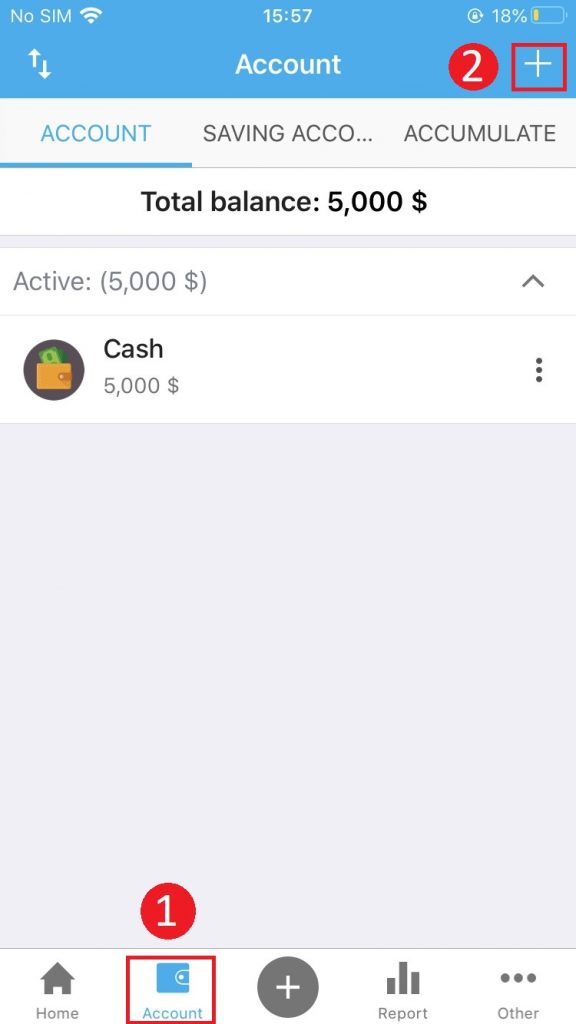
Step 1: Open the application, select the Account tab and then press the ” +” sign to add a new account
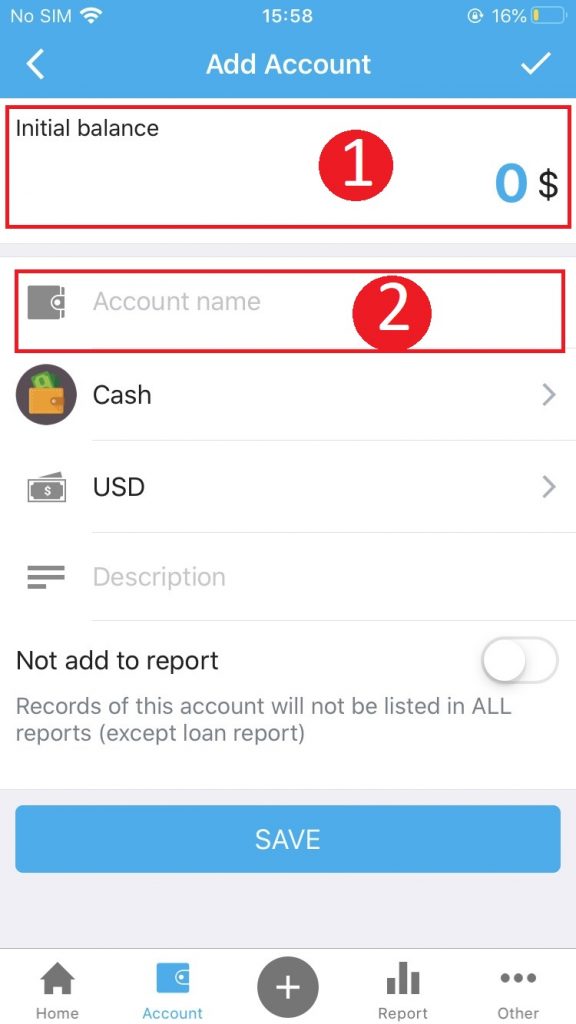
Step 2: Declare account information
- Enter the initial balance
- Enter an account name
- Choose an account
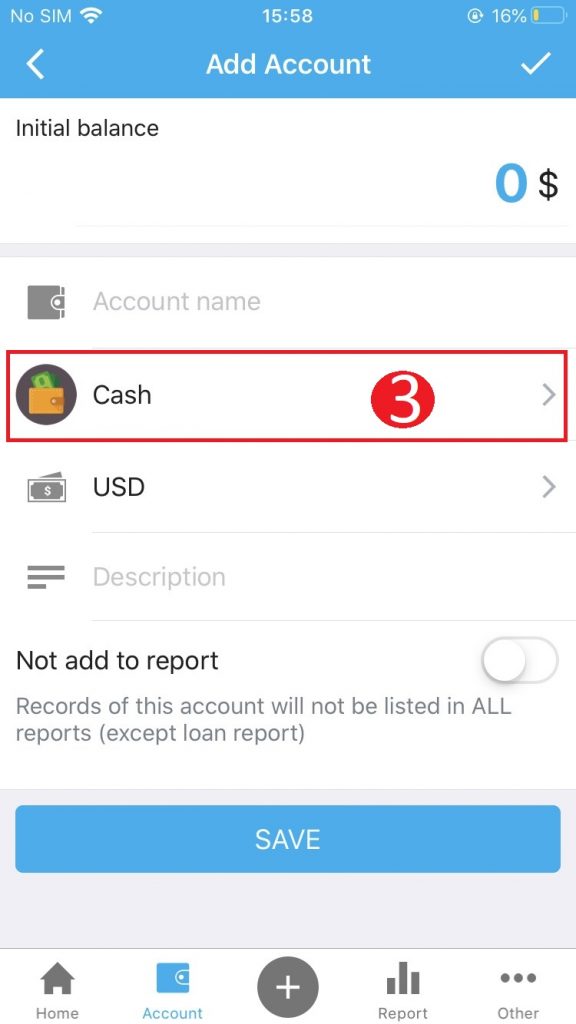


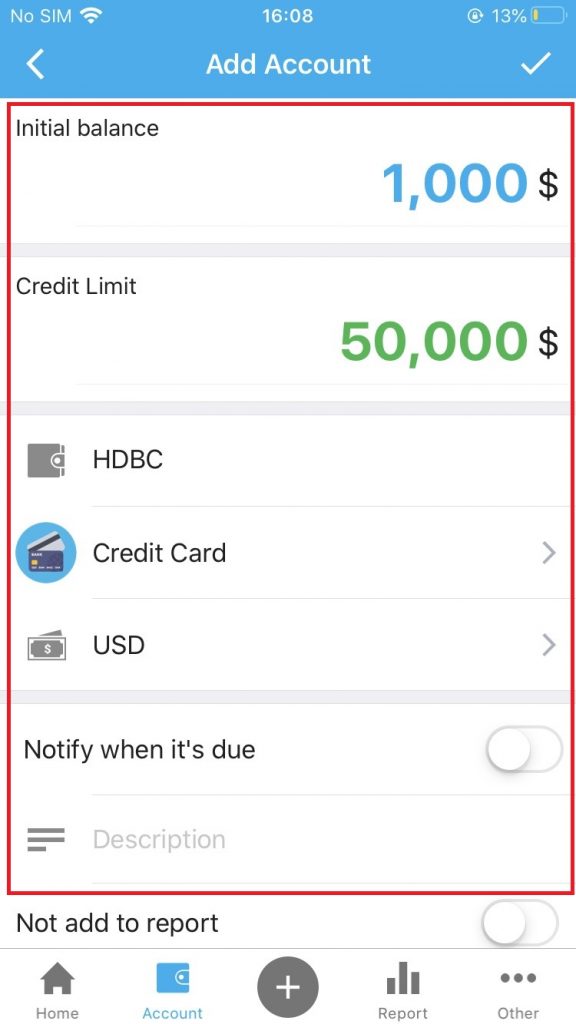
Note: When selecting a credit card account , the following additional information must be declared:
- Initial balance (The amount of money you have left you can use on the card up to the time of account declaration)
- Credit limit
- Currency
- Notify when it’s due: (Slide the button to the right to activate the notification feature from the Collection Book when the due date of credit card refunds)
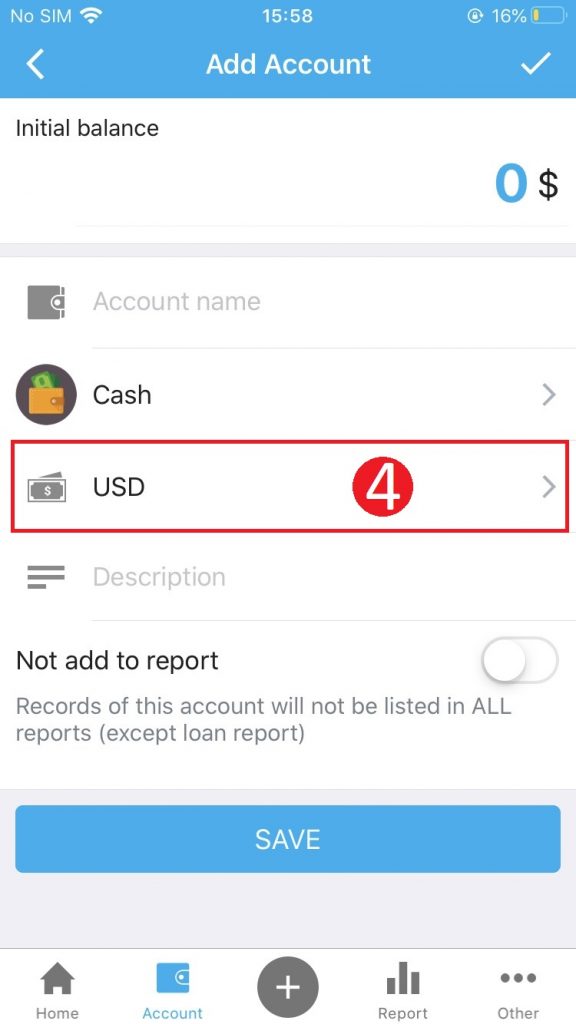
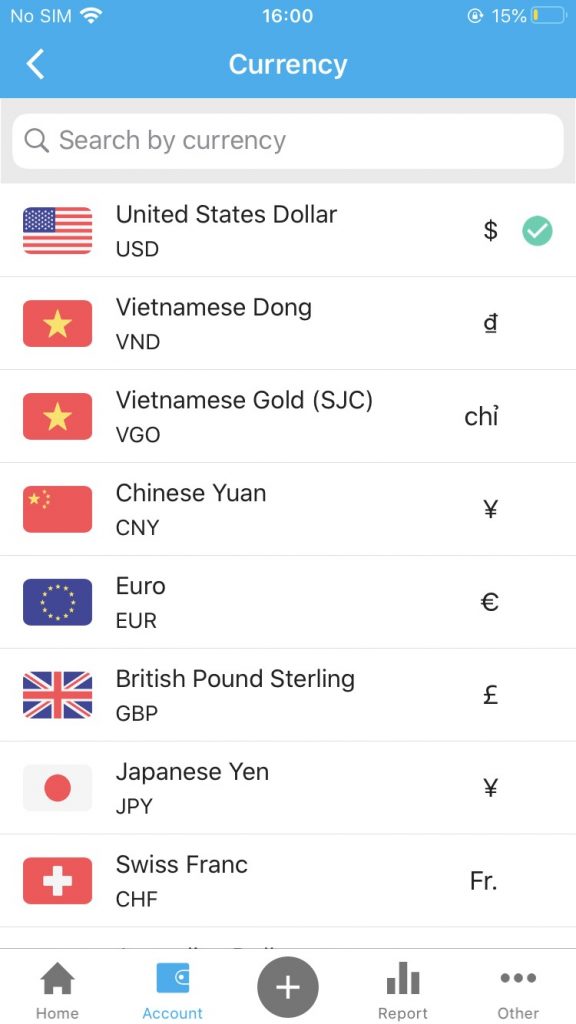
4. Select the currency
5. The system will default to the accounts that customers create will be counted in the report.
If you do not want to list the records arising from your account to the report, slide the button to the right to set the Not add to report
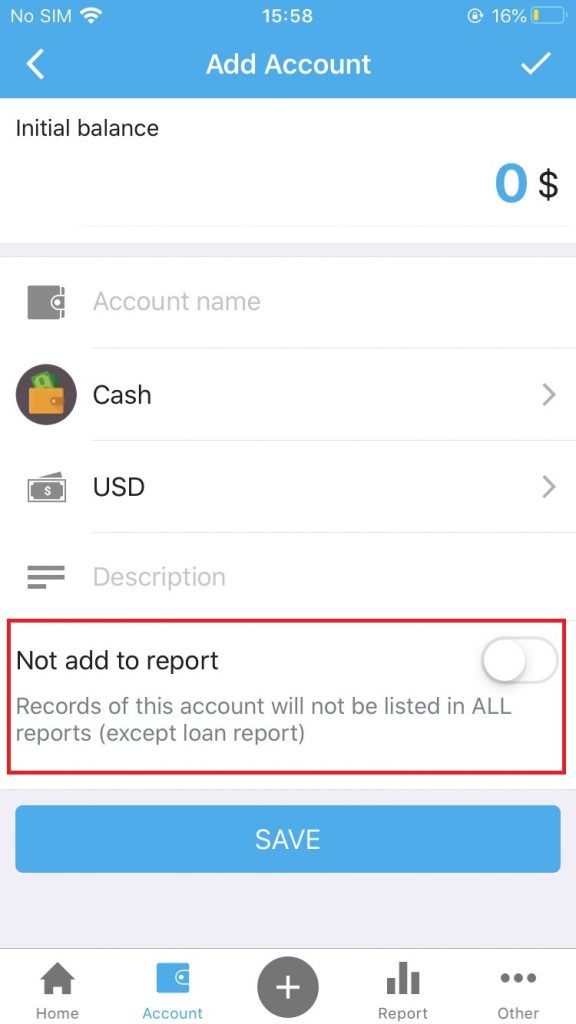
6. Click Save to finish creating the account.